1.运行 ROS2 Docker 容器:
docker run -p 6080:80 –security-opt seccomp=unconfined –shm-size=512m -v “$(pwd)/:/home/ws” \ghcr.io/tiryoh/ros2-desktop-vnc:humble
2.在容器内安装库(在浏览器 VNC 终端中):
安装 pybullet pip3 install pybullet –break-system-packages
安装 opencv pip3 install opencv-python opencv-contrib-python –break-system-packages
如果需要,安装 numpy
pip3 install “numpy<2” –break-system-packages
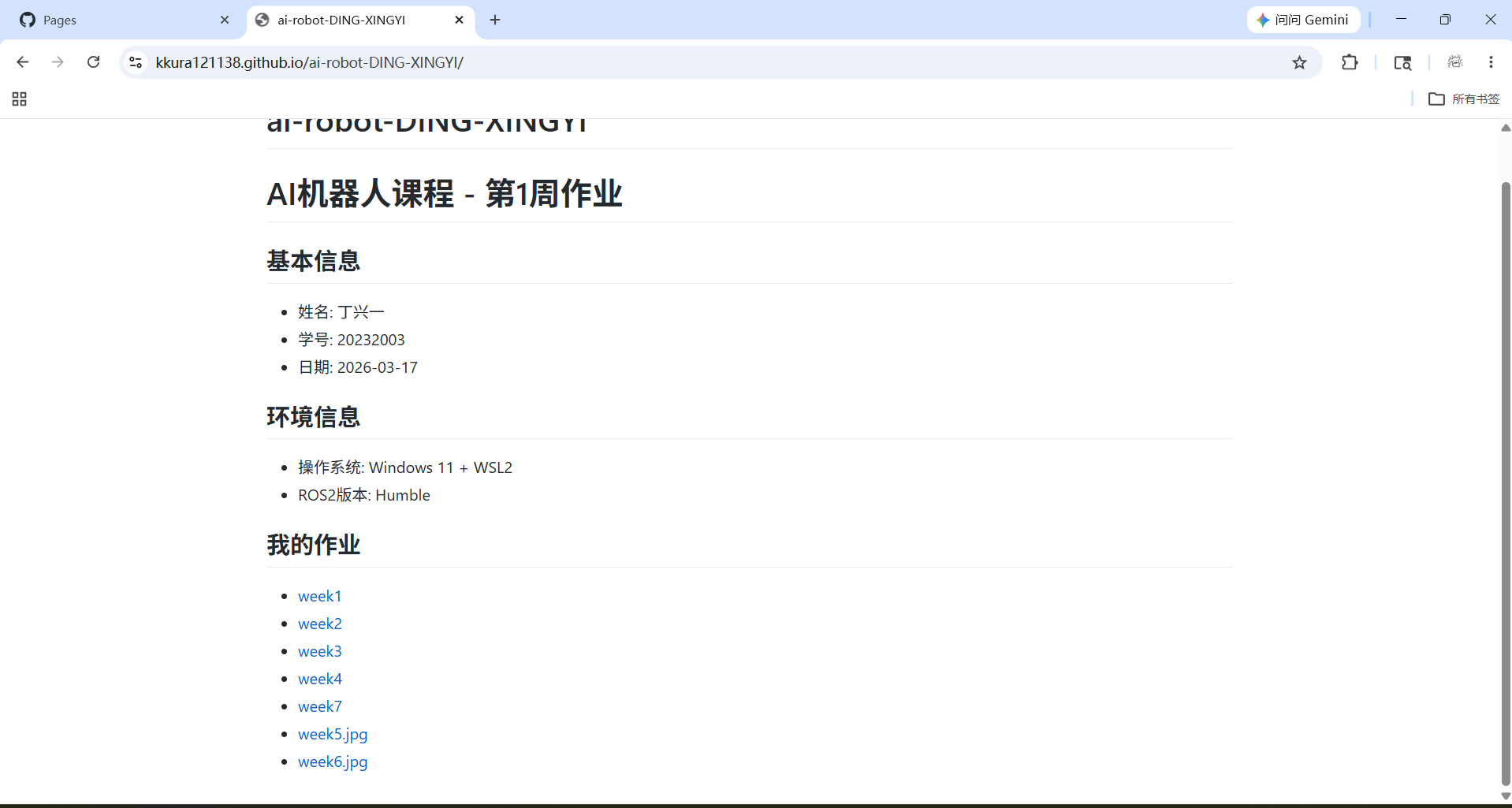
3.打开新终端,查看容器 ID:docker ps
4.保存容器为新镜像:docker commit -m “install pybulletand opencv” -a “your-name” <容器ID> my-ros2-full:v1.0
5.验证镜像已保存:docker images
步骤 1:开启 GitHub Pages
1.打开你的 GitHub 作业仓库页面
2.点击仓库顶部的 Settings(设置)
在左侧菜单中找到并点击 Pages
在 “Source” 部分,选择:Source(源):Deploy from a branch
Branch(分支):main(或 master)
Folder(文件夹):/ (root)
3.点击 Save(保存)
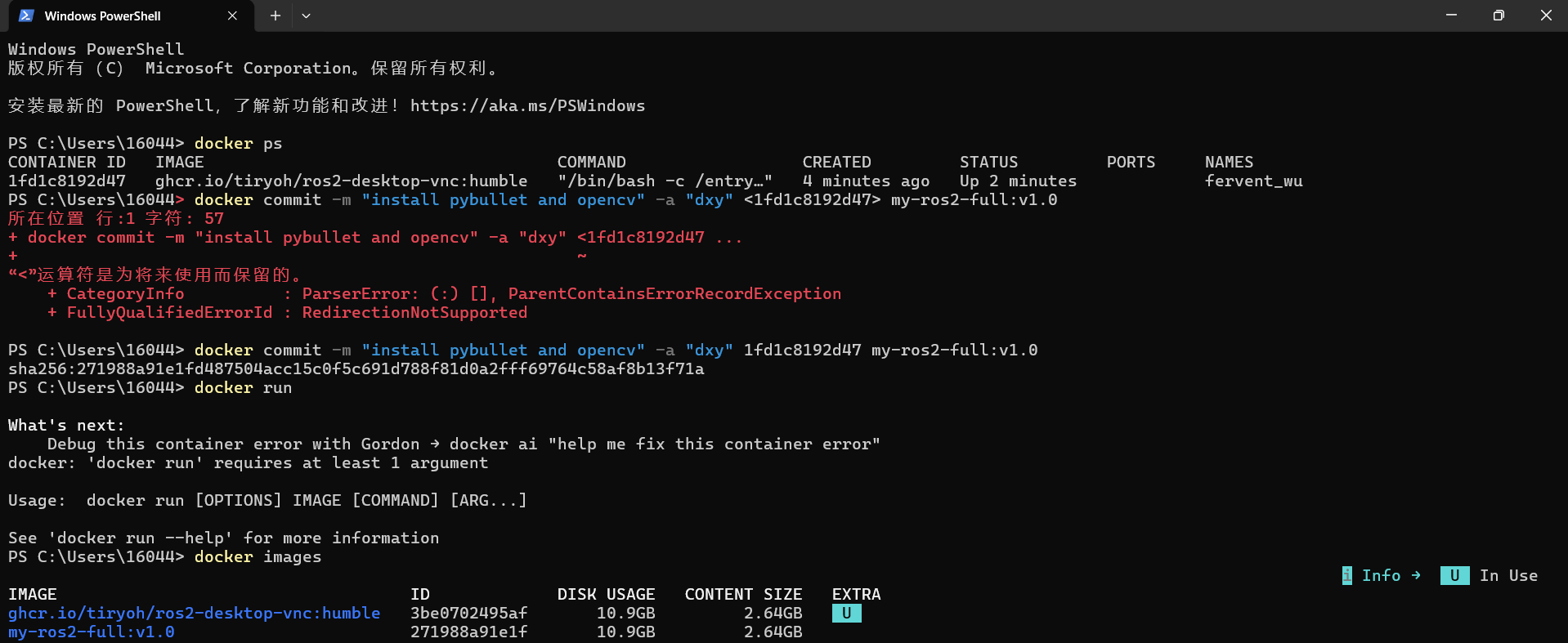
4.等待约 1-3 分钟,页面会显示:Your site is live at https://<你的用户名>.github.io/<仓库名>/
我的网站: https://kkura121138.github.io/ai-robot-DING-XINGYI/