ai-robot-DING-XINGYI
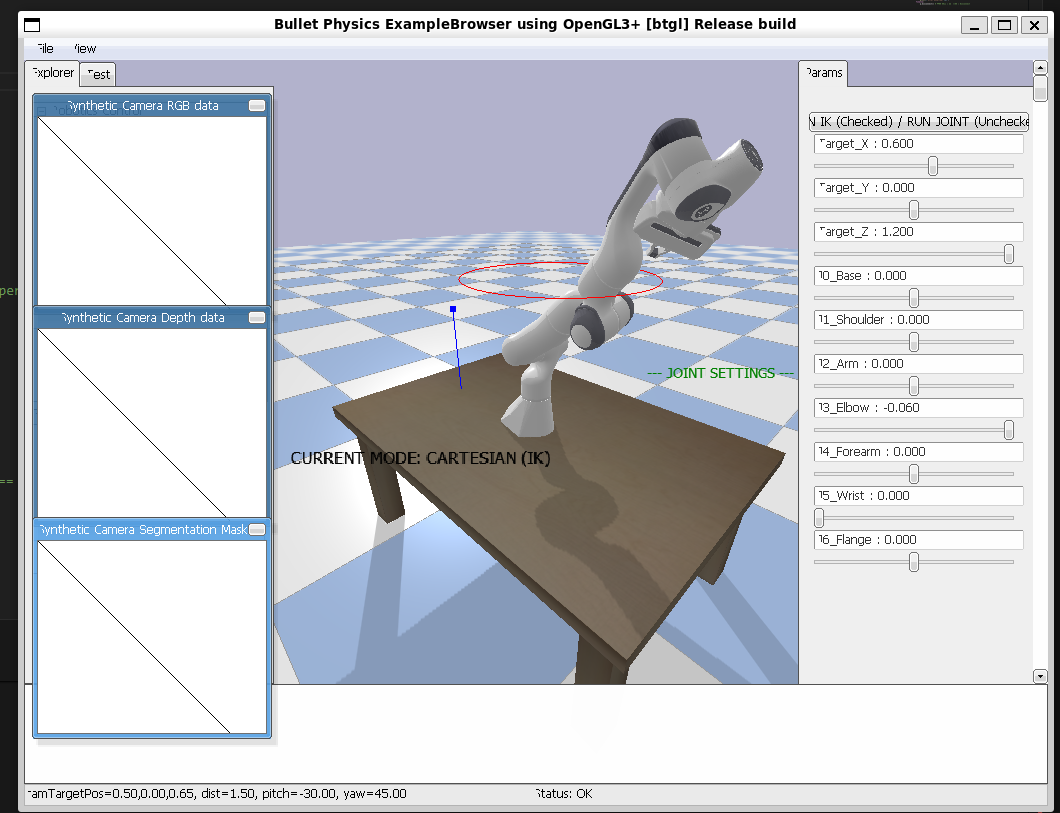
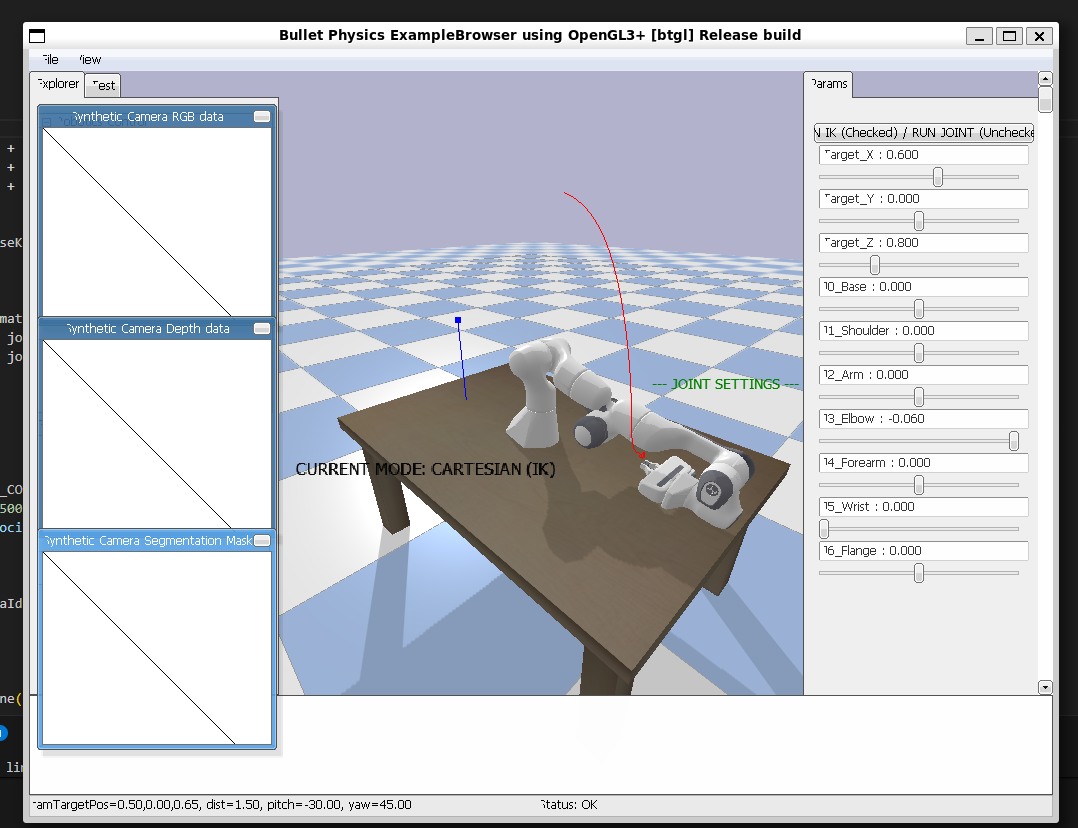
week4 让机器人画圆 画线
import pybullet as p import pybullet_data as pd import time import math — 1. 환경 초기화 | 环境初始化 | Environment Initialization —
p.connect(p.GUI) p.setAdditionalSearchPath(pd.getDataPath()) p.setGravity(0, 0, -9.8) # 표준 Z-Up 중력 | 标准Z轴重力 | Standard Z-Up gravity p.configureDebugVisualizer(p.COV_ENABLE_GUI, 1)
| 카메라 위치 설정 | 设置摄像头视角 | Set camera view |
p.resetDebugVisualizerCamera(1.5, 45, -30, [0.5, 0, 0.65])
| 지면 및 테이블 로드 | 加载地面与桌子 | Load plane and table |
p.loadURDF(“plane.urdf”) table_pos = [0.5, 0, 0] p.loadURDF(“table/table.urdf”, table_pos, useFixedBase=True)
| 로봇 암 로드 (테이블 위에 고정) | 加载并固定机器人 | Load & fix robot on table |
panda_pos = [0.5, 0, 0.625] # Z=0.625는 테이블 높이 | 桌面高度 | Table height pandaId = p.loadURDF(“franka_panda/panda.urdf”, panda_pos, useFixedBase=True)
init_joint_positions = [0, -0.4, 0, -2.0, 0, 1.6, 0] for i in range(7): p.resetJointState(pandaId, i, init_joint_positions[i]) p.setJointMotorControl2( pandaId, i, p.POSITION_CONTROL, targetPosition=init_joint_positions[i], force=500 )
p.stepSimulation() time.sleep(0.1)
| — 2. 컨트롤 패널 생성 | 创建控制面板 | Create Control Panel — |
| 모드 전환 스위치 (체크 시 IK 모드) | 模式切换开关 | Mode toggle (Checked = IK) |
mode_toggle = p.addUserDebugParameter(“RUN IK (Checked) / RUN JOINT (Unchecked)”, 1, 0, 1)
| A. 데카르트 좌표계 슬라이더 | 笛卡尔坐标滑块 | Cartesian Sliders (X, Y, Z) |
p.addUserDebugText(“— CARTESIAN SETTINGS —”, [1.2, 0.5, 1.2], [0,0,1], 1) ctrl_x = p.addUserDebugParameter(“Target_X”, 0.3, 0.8, 0.6) ctrl_y = p.addUserDebugParameter(“Target_Y”, -0.4, 0.4, 0.0) ctrl_z = p.addUserDebugParameter(“Target_Z”, 0.65, 1.2, 0.8)
| B. 관절 공간 슬라이더 | 关节空间滑块 | Joint Space Sliders (J0-J6) |
p.addUserDebugText(“— JOINT SETTINGS —”, [1.2, -0.5, 1.2], [0,0.5,0], 1) joint_params = [] joint_names = [“J0_Base”, “J1_Shoulder”, “J2_Arm”, “J3_Elbow”, “J4_Forearm”, “J5_Wrist”, “J6_Flange”]
| Panda 관절 한계 설정 | 关节限位设置 | Joint limits for Panda |
joint_limits = [(-2.89, 2.89), (-1.76, 1.76), (-2.89, 2.89), (-3.07, -0.06), (-2.89, 2.89), (-0.01, 3.75), (-2.89, 2.89)] for i in range(7): joint_params.append(p.addUserDebugParameter(joint_names[i], joint_limits[i][0], joint_limits[i][1], 0.0))
| info_id = -1 # 디버그 텍스트 ID | 调试文本ID | Debug text ID |
start_pos = [0.5, 0.0, 0.8] end_pos = [0.7, 0.2, 0.9] t = 0.0 step = 0.002 direction = 1 prev_pos = start_pos
| — 3. 메인 로직 루프 | 核心逻辑循环 | Main Logic Loop — |
try: while True:
스위치 상태 확인 | 读取开关状态 | Read mode toggle state
run_ik = p.readUserDebugParameter(mode_toggle)
if run_ik > 0.5:
    # ======= 모드 1: 역운동학 (IK) | 模式1: 逆向运动学 | Mode 1: Inverse Kinematics =======
    tx = start_pos[0] + t * (end_pos[0] - start_pos[0])
    ty = start_pos[1] + t * (end_pos[1] - start_pos[1])
    tz = start_pos[2] + t * (end_pos[2] - start_pos[2])

    # IK 계산: 목표 좌표 -> 관절 각도 | 计算关节角度 | Calculate joint angles from XYZ
    joint_poses = p.calculateInverseKinematics(
        pandaId, 11, [tx, ty, tz],
        p.getQuaternionFromEuler([math.pi, 0, 0]) # 집게가 아래를 향하도록 설정 | 保持夹爪向下 | Gripper face down
    )

    # 모터 제어 적용 | 应用电机控制 | Apply motor control
    for i in range(7):
        p.setJointMotorControl2(pandaId, i, p.POSITION_CONTROL, joint_poses[i], force=500)

    t += step * direction
    if t >= 1.0 or t <= 0.0:
        direction *= -1

    p.addUserDebugLine(prev_pos, [tx, ty, tz], [1, 0, 0], 2)
    prev_pos = [tx, ty, tz]

    mode_str = "CURRENT MODE: CARTESIAN (IK)"

else:
    # ======= 모드 2: 관절 직접 제어 (FK) | 模式2: 关节直接控制 | Mode 2: Joint Direct Control =======
    for i in range(7):
        target_val = p.readUserDebugParameter(joint_params[i])
        p.setJointMotorControl2(pandaId, i, p.POSITION_CONTROL, target_val, force=500)

    mode_str = "CURRENT MODE: JOINT SPACE (Direct)"

# --- 4. 데이터 피드백 표시 | 数据反馈显示 | Data Feedback Display ---
# 엔드 이펙터 실제 위치 획득 (순운동학 결과) | 获取末端实际位置 | Get actual EE position (FK result)
ee_state = p.getLinkState(pandaId, 11)
curr_p = ee_state[0]
# 실제 관절 각도 읽기 | 读取实际关节角度 | Read actual joint states
curr_j = [p.getJointState(pandaId, i)[0] for i in range(7)]

# 화면 텍스트 업데이트 | 更新屏幕文本 | Update screen text
if info_id != -1:
    p.removeUserDebugItem(info_id)

display_text = f"{mode_str}\n"
display_text += f"End-Effector [X,Y,Z]: [{curr_p[0]:.2f}, {curr_p[1]:.2f}, {curr_p[2]:.2f}]\n"
display_text += "-"*30 + "\n"
display_text += "Real-time Joints (rad):\n" + "\n".join([f"J{i}: {curr_j[i]:.2f}" for i in range(7)])

# 텍스트 위치 및 색상 설정 | 设置文本位置与颜色 | Set text position and color
info_id = p.addUserDebugText(display_text, [0.4, -0.8, 0.8], [0,0,0], 1.2)

p.stepSimulation() # 시뮬레이션 한 단계 진행 | 步进仿真 | Step simulation
time.sleep(1./120.) # 실행 속도 조절 | 控制运行频率 | Control execution frequency
except Exception as e:
print(f”Error occurred: {e}”)
finally:
p.disconnect() # 연결 종료 | 断开连接 | Disconnect